What PDF password protection is designed to do
PDF password protection can restrict access to a document by requiring a password before the file can be opened. Depending on the PDF implementation, encryption can protect the document contents so that compatible readers need the correct credential to decrypt them.
This is useful for ordinary document sharing, but it should not be confused with a complete security system. The protection is only one part of secure handling. The password itself must be shared safely, and the recipient’s device must also be trustworthy.
Open passwords and permission passwords
PDF security can involve different concepts. An open or user password prevents the document from being opened without the credential. Some PDFs also define owner permissions that attempt to restrict printing, copying or editing.
Permission restrictions are not as strong a confidentiality control as encryption that blocks opening the file. Different PDF readers may enforce permissions differently, so do not rely on a 'no copying' flag as if it were strong digital rights management.
Why encryption strength matters
Modern PDF encryption can use strong algorithms such as AES. The effective security still depends heavily on the password. A short, predictable password can undermine otherwise strong encryption because attackers can try common possibilities.
Use a long, unique passphrase that is not reused elsewhere. Avoid names, birthdays, simple number sequences and passwords that appear in common breach lists.
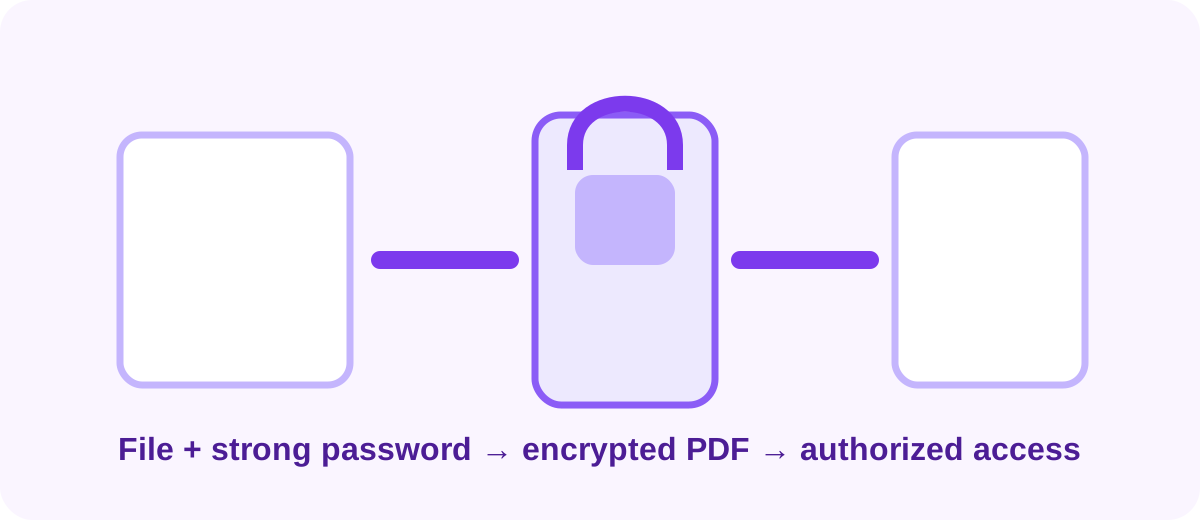
What unlocking a PDF should and should not mean
A legitimate unlock workflow uses the correct password supplied by someone authorized to access the document. The tool decrypts the file and creates an unprotected copy when the format and permissions allow it.
Password cracking or bypassing protection without authorization is a different activity. A responsible general-purpose tool should not be presented as a way to defeat unknown passwords.
Browser-side PDF security tools
Some modern browser tools can run PDF encryption or decryption code locally using WebAssembly or JavaScript libraries. This can avoid intentionally uploading the source document to an application server for the requested operation.
The browser may still download the software components needed to perform the task. Users should distinguish between downloading code and uploading their private document. Clear privacy wording is important, especially for tools that handle passwords.
Common mistakes when protecting PDFs
Users sometimes forget the password, send it insecurely, overwrite the only unprotected original or assume permission flags provide absolute control after the recipient has access. Another mistake is protecting a document before final editing, which creates unnecessary extra versions.
Finish the document, keep a secure master copy, then create the protected distribution copy. Test the file in a normal PDF reader before sending it.
- Use a unique passphrase
- Keep a secure original
- Test the protected PDF
- Share the password separately when appropriate
- Do not rely on permission flags for absolute control
When a password-protected PDF is not enough
For highly confidential information, security may require managed file sharing, access logs, expiration controls, identity verification or enterprise document systems. A password-protected attachment cannot provide those capabilities by itself.
Use PDF encryption as a practical layer for suitable situations, not as a substitute for broader information-security controls.